


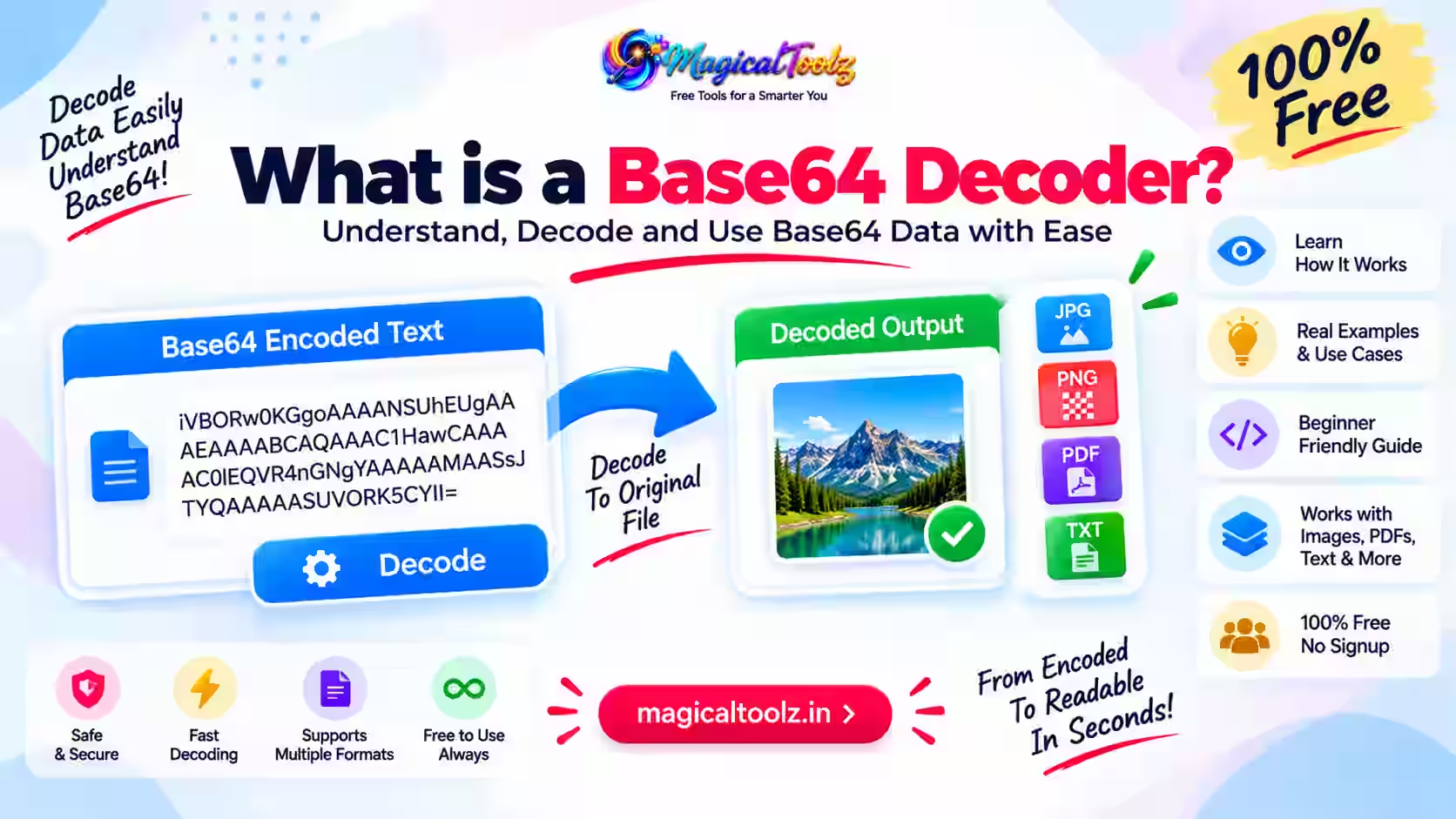
A Base64 decoder converts Base64 text back into the bytes that were encoded. Those bytes might represent readable text, an image, a PDF, a ZIP archive, or almost any other file type. Decoding does not tell you whether the recovered content is safe, genuine, or correctly labelled.
Base64 exists because some systems are designed to carry text more reliably than arbitrary binary bytes. It uses a limited set of printable characters to represent binary data. The process is reversible and needs no secret key.
Quick answer: A Base64 decoder restores encoded bytes. Base64 is an encoding format, not encryption, hashing, compression, malware scanning, or proof that a file is trustworthy.
How Base64 represents data
Standard Base64 is defined in RFC 4648. It takes groups of three input bytes, which contain 24 bits, and represents them as four values of six bits each. Each six-bit value maps to one character from a 64-character alphabet.
The standard alphabet uses uppercase letters, lowercase letters, digits, plus, and slash. An equals sign may appear as padding at the end when the original byte count does not divide evenly into three-byte groups.
| Part | Standard Base64 | Purpose |
| Alphabet | A-Z a-z 0-9 + / | Represents values from 0 through 63 |
| Padding | = | Completes the final encoded group when required |
| Typical input | Bytes | Text, images, documents, archives, or other binary content |
| Typical output | Printable ASCII characters | Fits into text-oriented containers and protocols |
What a decoder returns
A decoder returns bytes, not automatically a meaningful sentence or a safe downloadable file. If the original bytes were UTF-8 text, interpreting them as UTF-8 may produce readable words. If they were PNG bytes, a program must treat them as a PNG image.
The Base64 text itself usually does not contain a dependable filename. A data URL may include a media type, such as data:image/png;base64,, but that label can be wrong or malicious. Reliable software should inspect the decoded bytes and validate them for the intended use.
If the original file was damaged before encoding, decoding reproduces the damaged bytes. Base64 does not repair content.
Raw Base64 and data URLs are different
Raw Base64 contains only the encoded characters and optional padding. A data URL adds a prefix that describes how an application should interpret the following data.
For example, a data URL can start with data:text/plain;base64,. Everything after the comma is the Base64 payload. The prefix is not part of the payload and must be separated before a strict raw decoder processes it.
Do not trust the declared media type by itself. Treat it as a hint supplied by the sender, then verify that the decoded bytes match the expected format.
Standard Base64 and Base64url
Standard Base64 uses + and /. Those characters can need special handling in URLs and filenames. RFC 4648 also defines a URL-safe alphabet called Base64url, which uses - and _ instead.
Base64url is not simply standard Base64 pasted into a URL. The alphabet differs, and some protocols omit padding when the data length is known from context. Follow the specification of the token, API, or file format you are working with.
A decoder that accepts only the standard alphabet may reject a valid Base64url value. Conversely, silently mixing variants can hide malformed input. Choose the correct variant explicitly.
Why padding causes errors
Padding can appear as one or two equals signs at the end of standard Base64. It represents the fact that the final input group contained fewer than three bytes. Padding is not arbitrary decoration and should not appear in the middle of a canonical value.
Some protocols permit omitted padding, especially with Base64url. Other decoders require the encoded length and padding to be exact. If a value fails, check the protocol rules before adding or removing equals signs.
Do not automatically “fix” every invalid value. A decoding error can reveal truncation, copying damage, a wrong alphabet, or non-Base64 content.
Base64 increases size
Three input bytes become four Base64 characters, so the encoded payload is roughly one-third larger before line breaks, prefixes, or surrounding JSON and HTML are counted. Small inputs may have proportionally more overhead because of padding and metadata.
Base64 is therefore not compression. Compressing data first may reduce it, while Base64 encoding generally makes the representation larger. Whether compression helps depends on the original format; JPEG, WebP, ZIP, and many video files are already compressed.
Large inline Base64 assets can increase HTML, CSS, JSON, memory use, and parsing work. Use them only when the destination and performance tradeoffs make sense.
Text decoding requires the right character encoding
Base64 works with bytes. Human-readable text requires a character encoding that maps those bytes to characters. UTF-8 is common, but it is not the only possibility.
Browser functions can create confusion here. MDN explains that btoa() works with a binary string, not arbitrary Unicode text. Unicode text should first be converted to bytes, commonly with UTF-8, and those bytes can then be encoded.
Similarly, atob() produces a string whose characters represent raw bytes. Those bytes still need the correct text decoder. Garbled accents or scripts often indicate a character-encoding mismatch rather than invalid Base64.
Base64 is not encryption
Anyone with a decoder can recover the original bytes. There is no password, secret key, or confidentiality. Encoding an API key, password, personal record, or private document does not protect it.
Base64 also is not hashing. A cryptographic hash is designed as a one-way digest for integrity and comparison. Base64 is designed to be decoded.
When confidentiality matters, use a reviewed encryption system and protect its keys. When integrity matters, use an authenticated mechanism appropriate to the protocol. Merely encoding data provides neither property.
Security risks when decoding unknown data
Decoding is only the first step. The recovered file can still contain malware, scripts, macros, exploit content, misleading extensions, or sensitive information. Do not open unknown decoded files merely because the Base64 conversion succeeded.
- Confirm who supplied the value and why you need it.
- Limit the maximum encoded and decoded size.
- Validate the expected alphabet and variant.
- Inspect file signatures instead of trusting a claimed media type.
- Use safe viewers and current security software.
- Do not execute decoded programs, scripts, or macros from an untrusted source.
- Keep sensitive decoded output out of public or synced folders.
Common places you may encounter Base64
Data URLs
Small images or other resources can be embedded directly in HTML or CSS. The tradeoff is a larger text document and loss of normal independent caching for that asset.
JSON and XML payloads
APIs sometimes carry binary data as Base64 text because JSON strings and many XML workflows are text-oriented. The API specification should state the variant, media type, and size limits.
Email attachments
MIME messages may transfer attachment bytes through Base64. Email software normally handles this automatically; manually decoding a suspicious attachment does not make it safe.
Tokens and structured values
Some tokens use Base64url for individual sections. Decoding a section may reveal readable JSON, but that does not validate the token's signature or prove that its claims are authentic.
Basic authentication headers
HTTP Basic credentials are represented with Base64, but Base64 does not encrypt them. Transport security such as HTTPS remains essential, and stronger authentication may be preferable.
Handling Base64 safely in an API
Define the accepted variant, maximum encoded length, maximum decoded length, expected media type, and error behavior in the API contract. Validate input before decoding and reject unexpected content instead of trying several permissive interpretations.
After decoding, check the byte signature and process the result with the same controls used for a normal uploaded file. Store it outside executable directories, generate a server-side filename, and avoid reflecting an untrusted media type directly into a browser response.
Log a request identifier and failure reason rather than the complete payload when the data may contain credentials or private files. A Base64 string can carry sensitive bytes even though it looks like ordinary text.
How to diagnose a decoding failure
Remove only an expected prefix
If the input is a valid data URL, separate the portion after the first comma. Do not remove random characters from an unknown string.
Check the alphabet
Look for standard + and / characters or Base64url - and _. Use the decoder required by the source protocol.
Inspect whitespace rules
MIME-formatted data may contain line wrapping, while a strict protocol may reject whitespace. Follow the applicable format instead of assuming all decoders ignore it.
Check padding and truncation
A missing ending can make the final group incomplete. Compare the value with its source and check whether the protocol intentionally omits padding.
Verify text encoding
If decoding succeeds but text looks wrong, interpret the bytes with the expected encoding, commonly UTF-8.
Set size limits
A short-looking workflow can expand into a large byte array and consume substantial memory. Applications should reject inputs beyond a defined limit before allocating unbounded output.
A small conceptual example
The ASCII text Man consists of three bytes. Standard Base64 represents those bytes as TWFu. Decoding TWFu recovers the same three bytes, which display as Man when interpreted as ASCII or UTF-8.
This round trip does not hide the word, reduce its size, or prove who created it. It only changes the representation.
Frequently asked questions
Can Base64 be decoded without a password?
Yes. Base64 has no password or secret key. A valid value can be decoded directly.
Is Base64 safe for storing passwords?
No. Encoding does not protect a password. Password storage requires a purpose-built password-hashing design on the service side.
Does Base64 reduce file size?
No. The encoded payload is usually about one-third larger than the source bytes.
Why does decoded text look corrupted?
The bytes may use a different text encoding, or the original content may not be text at all.
What is the equals sign at the end?
It is padding used to complete the final encoded group when the source byte count requires it.
Can a Base64 string contain a virus?
The text represents bytes, and those bytes can form a malicious file. Treat unknown decoded content as untrusted.
Is Base64url the same as Base64?
It uses the same basic encoding idea but replaces two alphabet characters and may omit padding according to its protocol.
Does decoding a token verify it?
No. Readable decoded sections do not prove a token's signature, origin, validity, or permissions.
Decode the representation, then verify the content
Base64 decoding is predictable when you know the alphabet, padding rules, and expected output bytes. The important work starts after decoding: identify the content, interpret it correctly, validate it, and handle it safely.
Use the original protocol or application documentation as the authority. Do not guess a file type, remove characters blindly, or treat successful decoding as a security check.
 Magical Toolz AI Support
Comments (0)
Use comments for article-specific feedback. Use the contact page for bugs and support requests.
Leave a Comment
No comments yet. Be the first to share something useful.