

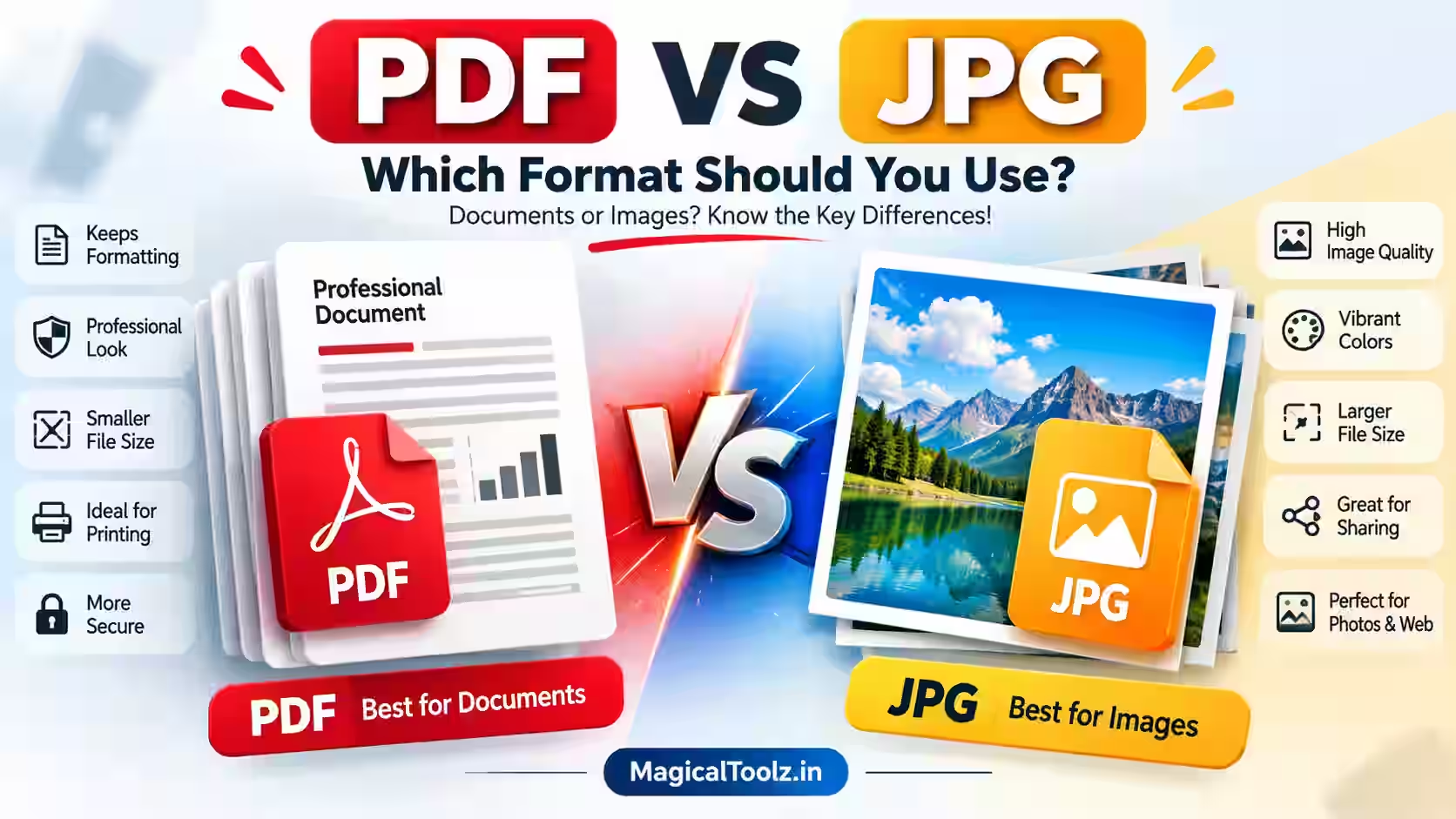
Use PDF when the file needs to behave like a document. Use JPG when the file is mainly a single image. A signed application, multi-page report, or form usually belongs in PDF. A product photo, website image, or screenshot is often better as JPG.
Neither format is always better. The right choice depends on what the recipient needs to read, print, edit, store, or display.
What a PDF file is best used for
PDF stands for Portable Document Format. It is designed to keep a document's pages, text, images, and layout together when the file moves between devices and programs.
PDF is a practical choice for documents that need a clear structure:
- Signed applications and official forms
- Invoices, receipts, and business records
- Multi-page reports and contracts
- Scanned identity documents
- Documents that people need to print
- Files that contain several pages in a fixed order
A PDF can contain selectable text, images, page numbers, form fields, and other document elements. What it contains depends on how the file was created. A PDF made from a text editor is different from a PDF made by scanning paper pages.
What a JPG file is best used for
JPG, also written as JPEG, is an image format made for photographs and other continuous-tone images. It stores the file as one picture rather than as a set of document pages.
JPG works well for:
- Product photos for an online shop
- Images posted on a website or social platform
- Photographs sent in a message
- Screenshots that only need to be viewed as pictures
- Single-page scans where document structure is not needed
JPG uses lossy compression. The file becomes smaller by removing some image information. At a reasonable quality setting, the change may be difficult to notice in a normal photo. Repeated editing and saving can create visible blocks, blur, or colour changes.
PDF vs JPG: main differences
| Feature | JPG | |
| Main purpose | Documents with pages, text, and layout | Single images and photographs |
| Multiple pages | Supported in one file | Usually one image per file |
| Text | Can remain selectable and searchable | Text is part of the picture |
| Compression | May contain text, images, and different compression types | Usually uses lossy image compression |
| Printing | Suitable for structured documents and page layouts | Suitable for printing a single image |
| Editing | Can support document-level elements, depending on the file | Edited as a flat image |
| Best example | Signed application or report | Product photo or website image |
Text readability and image quality
PDF is usually the better choice when people need to read text. A text-based PDF can keep characters as text, which allows searching, selecting, copying, and zooming without turning every letter into a picture.
JPG treats text as image content. A clear screenshot may look fine at its original size, but small letters can become hard to read when the image is compressed, resized, or printed. This matters for addresses, account numbers, signatures, and fine print.
Image quality depends on more than the file extension. A high-resolution JPG can look better than a low-resolution PDF scan. A PDF can also contain a heavily compressed image. Always consider the original resolution, compression level, and intended viewing size.
Why converting JPG to PDF does not improve image quality
Putting a JPG inside a PDF changes the container, not the original picture. The pixels removed during JPG compression do not come back when the image becomes a PDF page. If the JPG is blurry, the PDF will contain a blurry image too.
JPG to PDF conversion can still be useful. It can place one or several images into a document that is easier to print, archive, or send as one file. It does not sharpen the image or restore missing detail.
File size and compression
JPG is often smaller for photographs because it is built around image compression. This makes it useful for web pages and quick sharing. The saving depends on the image dimensions, detail, and quality setting.
PDF file size varies more. A text-only report may be small, while a scanned report with high-resolution photos may be large. A PDF can contain compressed images, uncompressed images, text, fonts, and document data in the same file.
Do not choose JPG only because a PDF seems too large. First decide whether the recipient needs a document or an image. If the document must stay readable and structured, reduce the size carefully while checking the result. If the file is only a photo, export a JPG at a suitable size instead.
Printing and sharing
PDF is usually more predictable for printing because it stores pages and their layout. A multi-page report, signed application, or invoice can be printed in the intended sequence. The actual result still depends on printer settings, paper size, margins, and the source file.
JPG is a good choice for printing a single photo, poster image, or product picture. It is less suitable when the recipient needs several pages, selectable text, or a fixed document structure.
For sharing, consider how the recipient will use the file. A customer may expect an invoice as a PDF, while a designer may need a JPG product image. Sending the wrong format can force the recipient to convert it, which may reduce quality or remove useful structure.
Editing and future changes
A JPG is a flat picture. You can crop, resize, adjust colour, or edit parts of the image in an image editor, but the words inside it are not separate text unless you use a recognition process. A change to one sentence often means editing pixels or recreating the image.
A PDF may contain separate text, images, pages, form fields, annotations, or signatures. Whether these elements can be changed depends on how the PDF was created and what editing software is available. A scanned PDF may be just as flat as a JPG until text recognition is added.
Keep the original editable document when future changes are likely. A final PDF is useful for sharing, but it may not be the best source for making the next revision. Keep the original image files too when a photo may need a different crop or size later.
Multiple pages and document structure
PDF is designed for multi-page documents. It can keep an invoice, terms page, signature page, and receipt in one file. The page order gives the reader a clear sequence.
JPG normally represents one image. You can send several JPG files, but the files are separate and their order may not be obvious. A set of scans named scan1.jpg, scan2.jpg, and scan3.jpg can work for a small task, but it does not provide the same document structure as one PDF.
Converting PDF pages to JPG can remove that structure. Each page becomes a separate picture, and selectable text, page relationships, form fields, annotations, and other PDF elements may no longer work as document elements. The visible page may look similar, but the file behaves differently.
Forms, signatures, images, screenshots, and scans
Signed applications
Use PDF for a signed application when the recipient needs the full form, signature, and page order together. A JPG of each page can show the signature, but it is harder to search, organise, and print as one structured document.
Scanned identity documents
A scanned identity document is often shared as a PDF when it has more than one page or needs to be printed. A single ID card photo may be acceptable as JPG when the recipient specifically asks for an image. Check the recipient's requirements before choosing.
Product photos
Use JPG for a product photo on a website because the file is an image and can be resized for the page. A PDF is less convenient for a customer who only needs to view one product picture.
Screenshots
JPG can work for a quick screenshot shared in a message. Choose PDF when the screenshot is part of a report, evidence pack, or multi-page record that needs a fixed order.
Privacy and file sharing
Both formats can contain private information. A JPG of an identity card can expose the same name and number as a PDF. Changing the extension does not remove sensitive content.
Before sharing either format, check the image or pages for information that does not belong to the recipient. Crop or redact details using a method that actually removes them. Drawing a white box over text may not be enough if the original information remains underneath.
Use a trusted storage or sharing method for invoices, forms, receipts, and identity documents. Check the recipient address before sending. Keep an original copy in a safe location, especially when the shared version has been resized, compressed, or redacted.
When PDF is the better choice
- The file has several pages.
- The reader needs selectable or searchable text.
- The layout should remain organised for printing.
- You are sending a signed form, invoice, report, or contract.
- The file contains pages with text and images together.
- The recipient expects one document instead of a group of images.
When JPG is the better choice
- The file is a single photograph or visual.
- You are posting an image on a website.
- A product page needs a compressed photo.
- The recipient asks for an image file.
- Text does not need to be searched, copied, or edited.
- You need a simple picture for a message or preview.
Frequently asked questions
Is PDF better than JPG for documents?
Usually, yes when the file has text, several pages, forms, signatures, or a layout that must stay organised. JPG is better when the document is really just one image.
Does converting JPG to PDF make the image clearer?
No. Conversion changes the file container. It does not restore image detail that was lost through blur, resizing, or JPG compression.
Does converting a PDF to JPG keep the document structure?
Not fully. Each page becomes a separate image, so selectable text, page relationships, form fields, annotations, and other features may no longer work as document elements.
Which format is better for printing?
PDF is usually better for reports, forms, and multi-page documents. JPG is suitable for a single photo or image when its resolution is high enough for the print size.
Which format is smaller?
JPG is often smaller for photographs, but there is no fixed winner. A text PDF can be small, while a scanned or image-heavy PDF can be large.
Can I edit text inside a JPG?
Not like normal text. The words are part of the image. You need an image editor, text recognition, or a new source document to make reliable text changes.
 Magical Toolz AI Support
Comments (0)
Use comments for article-specific feedback. Use the contact page for bugs and support requests.
Leave a Comment
No comments yet. Be the first to share something useful.