

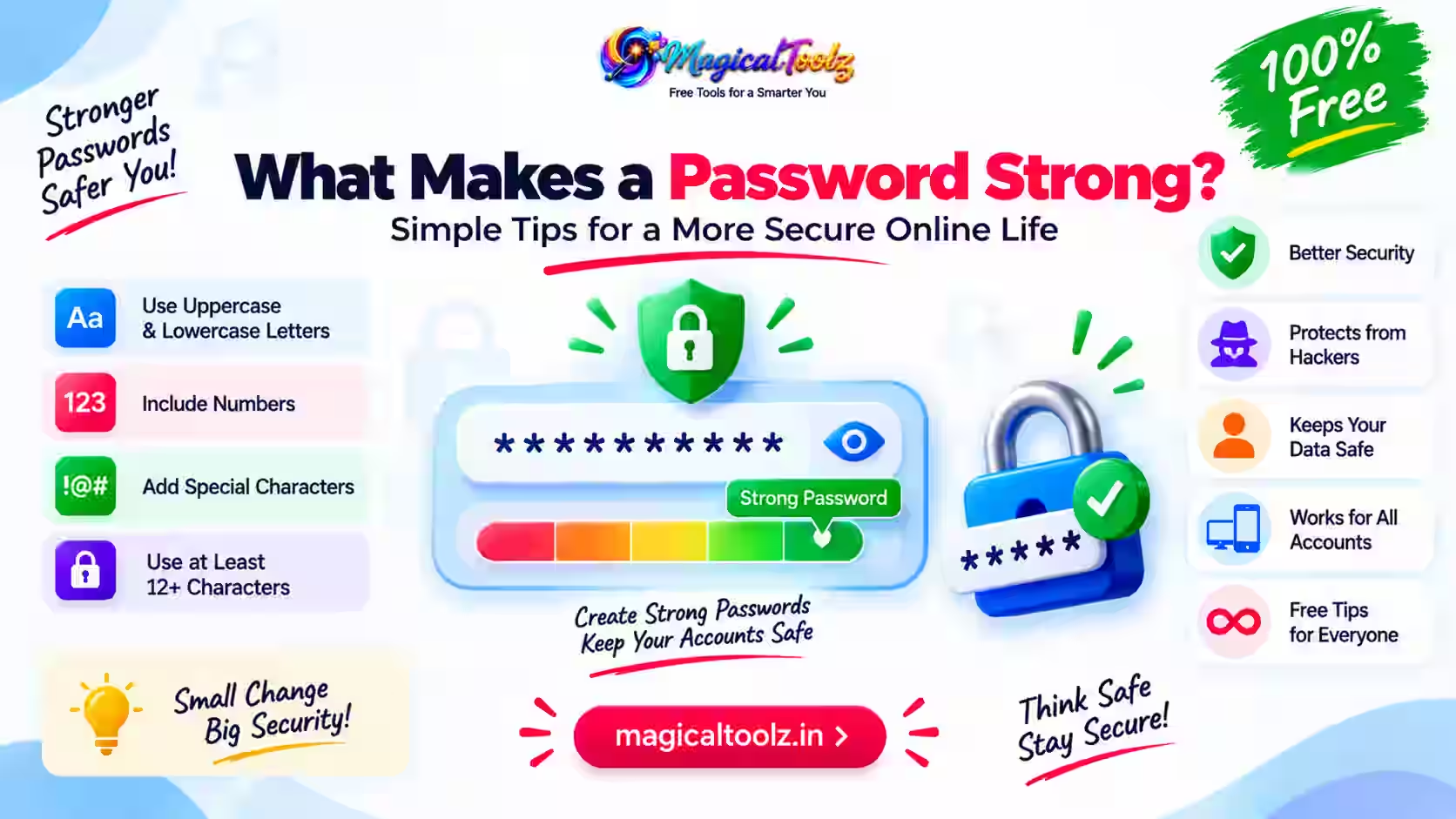
A strong password is long, unique to one account, and difficult for an attacker to predict. Randomness matters more than decorative substitutions such as replacing an a with @. The safest practical workflow is usually to let a reputable password manager generate and store a different password for every account.
The Magical Toolz Random Password Generator can create one password or a capped batch locally in your browser. It uses the browser Web Crypto API, offers lengths from 8 to 256 characters, and supports lowercase letters, uppercase letters, digits, and configurable symbols.
Quick answer: Use a long, randomly generated password for each account, save it in a reputable password manager, and enable multifactor authentication when the service offers it. Never reuse an important password.
What makes a password strong?
| Property | Why it matters | Practical action |
| Length | More possible combinations generally increase resistance to guessing | Use the longest password the account and password manager handle reliably |
| Randomness | Predictable patterns shrink the attacker's search space | Use a cryptographically secure generator rather than inventing a pattern |
| Uniqueness | Reuse turns one leaked password into access to several accounts | Generate a different password for every login |
| Safe storage | A strong password still fails if exposed in notes or messages | Store it in a reputable password manager |
| Extra authentication | A second factor can help when a password is stolen | Enable MFA, preferably a phishing-resistant option when available |
Length is useful, but length alone is not enough
A longer password provides more room for possible combinations. However, a long quotation, keyboard walk, repeated word, or personal sentence may remain predictable. Attackers do not test only random combinations; they also test common passwords, leaked credentials, names, dates, phrases, and familiar substitutions.
NIST's current Digital Identity Guidelines tell services to check proposed passwords against blocklists of common, expected, or compromised values. The guidance also supports password managers and paste functionality. This is more useful than forcing users to make predictable complexity changes.
For a password created by a secure random generator, increasing length usually increases the possible search space. For a password invented by a person, predictability can reduce that benefit. Do not use a simple character count as proof that a password is safe.
Why every account needs a unique password
Password reuse is one of the most damaging habits because websites can suffer breaches. If the same email address and password work elsewhere, attackers can try the leaked combination on email, shopping, social, cloud, and financial accounts. This is commonly called credential stuffing.
Changing one character for each website is not a reliable solution. A pattern such as adding the site's first letter may be easy to infer after one password is exposed. Generate unrelated credentials and let a password manager associate each one with the correct service.
Your email password deserves special care because email often controls password resets for other accounts. Do not reuse it anywhere else.
How to use the random password generator
- Open the Random Password Generator.
- Choose a length between 8 and 256 characters.
- Select between 1 and 50 passwords for the batch.
- Enable the character classes accepted by the destination website.
- Optionally exclude confusing characters such as
I,l,1,O,0, ando. - Keep “Include every selected class” enabled when the website requires each selected type.
- Select Generate securely.
- Store the chosen result directly in your password manager.
- Confirm that the destination accepts it before closing the generator.
The tool generates passwords through crypto.getRandomValues. It uses rejection sampling when selecting from the character pool, which avoids the simple modulo bias found in some weak implementations. It then securely shuffles guaranteed character classes into the result.
Understand the generator controls
Character classes
You can include lowercase letters, uppercase letters, digits, and custom symbols. At least one usable class must remain after exclusions. A service may reject certain symbols, so follow its published password policy rather than assuming every character is accepted.
Allowed and excluded characters
The custom symbol field accepts up to 64 characters. The exclusion field accepts up to 128 characters. Exclusions are useful for systems with known restrictions or for passwords that must sometimes be typed manually.
Removing characters reduces the final pool. That does not automatically make a long random password weak, but unnecessary exclusions reduce possible combinations and should be avoided.
Include every selected class
This option guarantees at least one character from each enabled, non-empty class. It helps satisfy websites that require uppercase, lowercase, numbers, or symbols. It is a policy feature, not independent proof of strength.
Batch generation
The tool can create up to 50 passwords in one batch. Do not assign them casually or keep an unprotected TXT list. Record which credential belongs to which account inside a password manager, then securely remove unnecessary copies.
What the entropy estimate means
The tool displays an approximate upper estimate based on password length and final pool size. This estimate assumes independent, uniform random draws. It can help compare two generator configurations, but it is not a guarantee of the time needed to crack a real account.
Effective security also depends on server-side password hashing, rate limits, breach exposure, phishing resistance, malware, recovery processes, and attacker knowledge. The class-guarantee rule also changes the exact distribution from the simplest estimate.
Do not advertise or interpret the displayed number as a security certificate. It is an educational estimate for the generated character space.
Password managers reduce reuse
A password manager stores credentials in an encrypted vault and can generate unrelated passwords for different accounts. You remember and protect the vault's master credential instead of memorising every generated string.
Choose a maintained password manager from a provider you trust. Protect the vault with a strong master password and MFA. Keep recovery information in a safe place, and understand how backups and account recovery work before relying on it.
NIST's password guidance permits password managers and autofill. CISA also recommends using a password manager and enabling MFA for the password database in its password manager guidance.
Multifactor authentication adds another layer
A strong password cannot stop every phishing attempt, malware infection, session theft, or account-recovery attack. MFA requires another proof in addition to the password. CISA notes that strong passwords alone are not enough for important systems.
Use phishing-resistant authentication such as a security key or passkey when the service supports it. An authenticator app is often preferable to relying only on SMS, although any available second factor may be better than password-only access. Save recovery codes securely and never send a one-time code to someone who asks for it.
Local generation and privacy
The active generator creates passwords in your browser and does not upload them for generation. By default, generated history stays in page memory. This reduces server exposure, but it does not make every surrounding action private.
Clipboard managers, browser extensions, malware, shared screens, downloaded files, cloud-synced folders, and device backups may expose a generated password. Copy only when needed and paste directly into the destination or password manager.
The “Try clearing clipboard after 30s” option is best effort. Browsers and operating systems can block the request, and another clipboard service may retain history. Do not depend on automatic clearing as the only protection.
Be careful with local history and downloads
Generated history is memory-only by default. If you enable local history, the tool stores up to 10 generated passwords in that browser. Local browser storage is less appropriate than a dedicated password manager, especially on a shared device.
The TXT download contains plain text. It is not an encrypted vault. Anyone with access to the file, its backup, or a synced copy may read every password in it. Move needed credentials into a password manager and securely remove the file when finished.
Clearing browser history does not necessarily remove downloaded files, clipboard history, screenshots, backups, or synced copies. Treat each one separately.
Patterns that look strong but are predictable
- A dictionary word followed by a year and symbol
- A name, birthday, phone number, or business name
- A keyboard path such as adjacent keys
- The same base password with a website name added
- A famous quotation with obvious substitutions
- A previously used password with one changed digit
These patterns may satisfy a site's uppercase, number, and symbol rules while remaining easy to guess. Passing a composition rule is not the same as resisting attacks.
What to do after a password may be exposed
- Change the affected password from a trusted device.
- Change it anywhere else it was reused.
- Sign out other sessions when the service provides that control.
- Review recovery email addresses, phone numbers, and MFA settings.
- Check recent login and account activity.
- Do not reuse the replacement password.
- Contact the service or relevant financial provider when unauthorised activity occurred.
A password generator cannot determine whether an old password appeared in a breach. Use breach notifications and the account provider's security tools, and be cautious about entering a real password into unknown checking websites.
Frequently asked questions
Is a longer password always stronger?
Length helps, but a long predictable phrase can remain weak. Randomness, uniqueness, storage, and account protections also matter.
Should every password contain a symbol?
Follow the destination's policy. Random length and uniqueness are more important than adding one predictable symbol.
How many passwords can the tool generate?
The current batch range is 1 to 50 passwords, with lengths from 8 to 256 characters.
Are passwords sent to a server?
The active generator creates them locally with the browser Web Crypto API.
Is the entropy value guaranteed?
No. It is an approximate upper estimate based on the selected length and character pool.
Should I enable local password history?
Usually, store credentials in a reputable password manager instead. Local history can expose up to 10 generated passwords on that browser.
Is downloading passwords as TXT safe?
A TXT file is unencrypted. Protect it carefully and remove it after storing needed credentials in a password manager.
Does a strong password replace MFA?
No. Enable MFA or a passkey where available because passwords can still be phished or exposed.
Build a complete account-security habit
Create a long random password, make it unique, store it in a trusted password manager, and enable MFA. Those steps work together; no single strength score or symbol rule can replace them.
Use the Random Password Generator when you need a locally generated character password, then move the result into secure storage instead of leaving it in a clipboard or text file.


 Magical Toolz AI Support
Comments (0)
Use comments for article-specific feedback. Use the contact page for bugs and support requests.
Leave a Comment
No comments yet. Be the first to share something useful.