


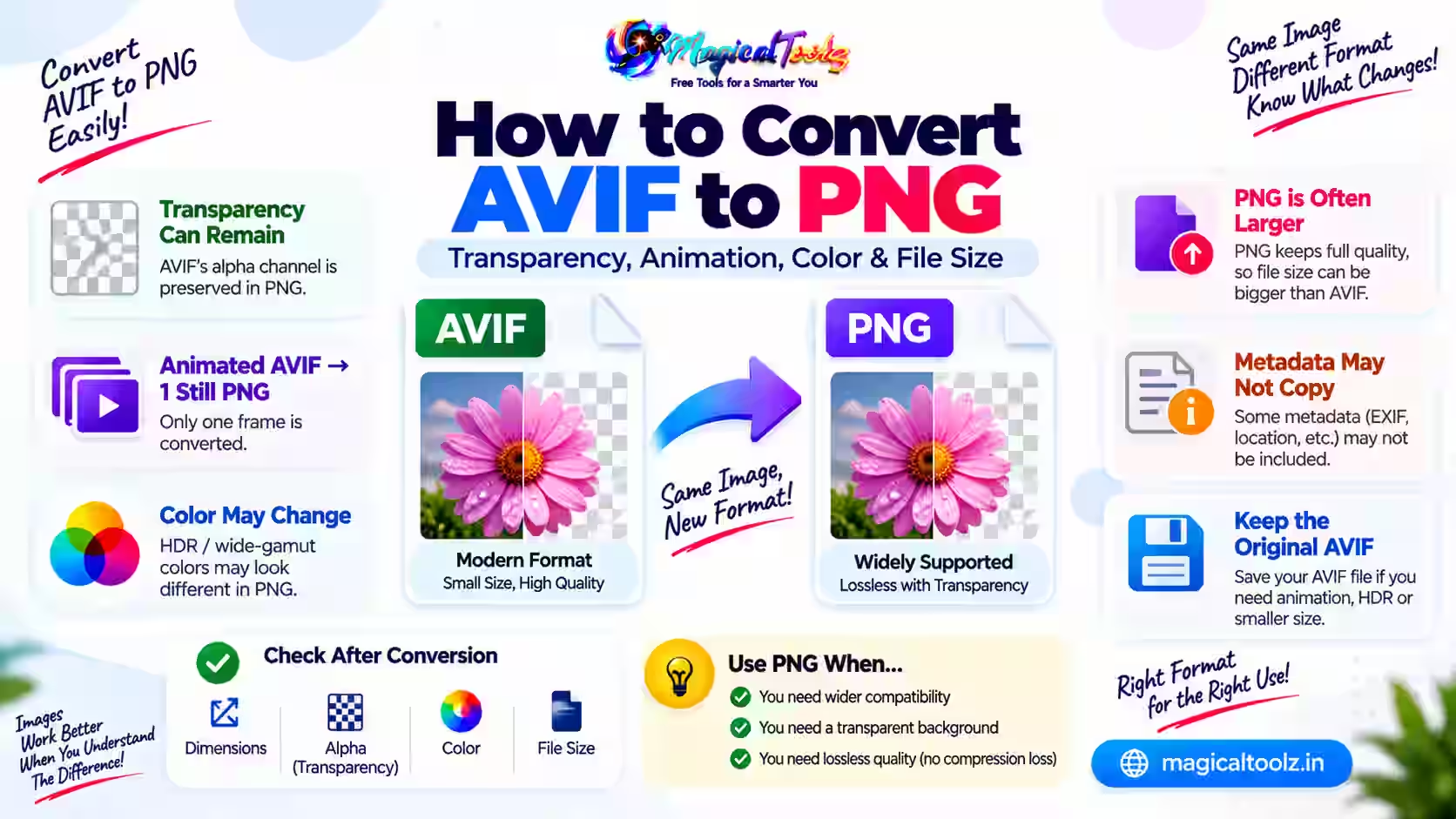
Convert AVIF to PNG when an editor or upload system cannot read AVIF, or when you need a broadly supported transparent still image. PNG will often be larger, and it cannot preserve AVIF animation through a basic still export.
Keep the AVIF source. Treat PNG as a compatibility copy.
AVIF can hold more than one ordinary still
AVIF supports lossy and lossless compression, alpha transparency, animation, higher bit depths and modern color information. PNG supports lossless still images and alpha. MDN lists these traits in its image format guide.
A basic conversion decodes a rendered AVIF image and writes those pixels into one PNG. It may not carry animation, HDR behavior or source metadata.
Use the active Universal Converter
The Universal Image Converter accepts one AVIF when the current browser can decode it. It allows files up to 50 MB and decoded images up to 40 megapixels.
Choose PNG output. Maximum width is optional and only scales down. Quality does not affect PNG export because the PNG path is lossless.
- Select the AVIF.
- Confirm preview and orientation.
- Choose PNG.
- Leave maximum width blank to keep dimensions.
- Convert.
- Compare transparency and color.
- Download and test the PNG.
Transparency can remain
Both AVIF and PNG can store alpha. Check translucent edges against several backgrounds. Soft shadows and pale halos are easy to miss on a checkerboard or white preview.
If the destination needs an opaque image, flatten it against the intended background in an editor. PNG conversion itself does not require flattening.
Animation becomes a still
The current converter has no AVIF frame timeline. An animated source can be reduced to one rendered frame in a Canvas workflow. Do not expect timing or loops in the PNG.
Use animation-aware software when you need all frames or APNG. Verify the chosen frame before delivery.
HDR and color may look different
An AVIF may carry higher bit depth, wide gamut or high dynamic range. The browser and Canvas can map that appearance into a normal PNG workflow. Bright highlights and saturated colors may change.
Compare the output on the target device. Use color-managed software with explicit controls for professional color work.
PNG can be much larger
Lossless PNG often needs more bytes than a compact AVIF photo. This does not mean the PNG has recovered extra detail. It simply stores the decoded pixels differently.
Check upload limits. If transparency is not needed and JPG is accepted, a carefully encoded JPG may be smaller. If AVIF already works, keep it for delivery.
Metadata is not copied by the current workflow
Canvas export normally omits ordinary source metadata. Capture time, location and creator fields may disappear, while color handling may be normalized. Inspect the file when these fields matter.
Keep the AVIF and document any required metadata separately. Conversion is not an archive plan.
Diagnose a failed AVIF
Open the source directly in the same browser. Failure can come from an unsupported AVIF variant, damaged bytes, excessive decoded dimensions or browser limitations.
Try a current browser, then use an AVIF-capable desktop editor. Do not rename the extension or assume every online picker has a decoder.
Match the destination rules
A form can require PNG and still reject the file because of width, height, aspect ratio, byte size or color mode. Read the complete rule before converting. Reduce dimensions only when the portal requires fewer pixels.
For documents and screenshots, inspect small text after any resize. A file that passes the byte limit but becomes unreadable has failed the real task.
Do not fake a batch with repeated blind exports
The current converter handles one image at a time. When many files need conversion, test several source types first, including transparency and unusual dimensions. Use dedicated desktop batch software when the volume is large.
Give outputs distinct names and keep a conversion log if files belong to a client or archive. This makes missing and failed items easier to identify.
Check the encoded format
A valid PNG has PNG data, not only a new suffix. Reopen the download in another program and inspect its properties. If an upload reports the file as AVIF, the conversion or download did not produce the expected output.
Verify the result
- The file is detected as PNG.
- Dimensions are correct.
- Orientation and crop match.
- Alpha edges remain clean.
- Color looks acceptable.
- Bytes fit the destination.
AVIF to PNG questions
Is PNG conversion lossless?
The PNG save is lossless, but it cannot restore source detail.
Does animation remain?
No. The current tool creates one still PNG.
Can transparency remain?
Yes for a decoded still image, but verify edges.
Why is PNG larger?
Its lossless compression is often less efficient for photos.
Can every browser decode AVIF?
Support is broad in current browsers, but file variants and older versions can still fail.
 Magical Toolz AI Support
Comments (0)
Use comments for article-specific feedback. Use the contact page for bugs and support requests.
Leave a Comment
No comments yet. Be the first to share something useful.