

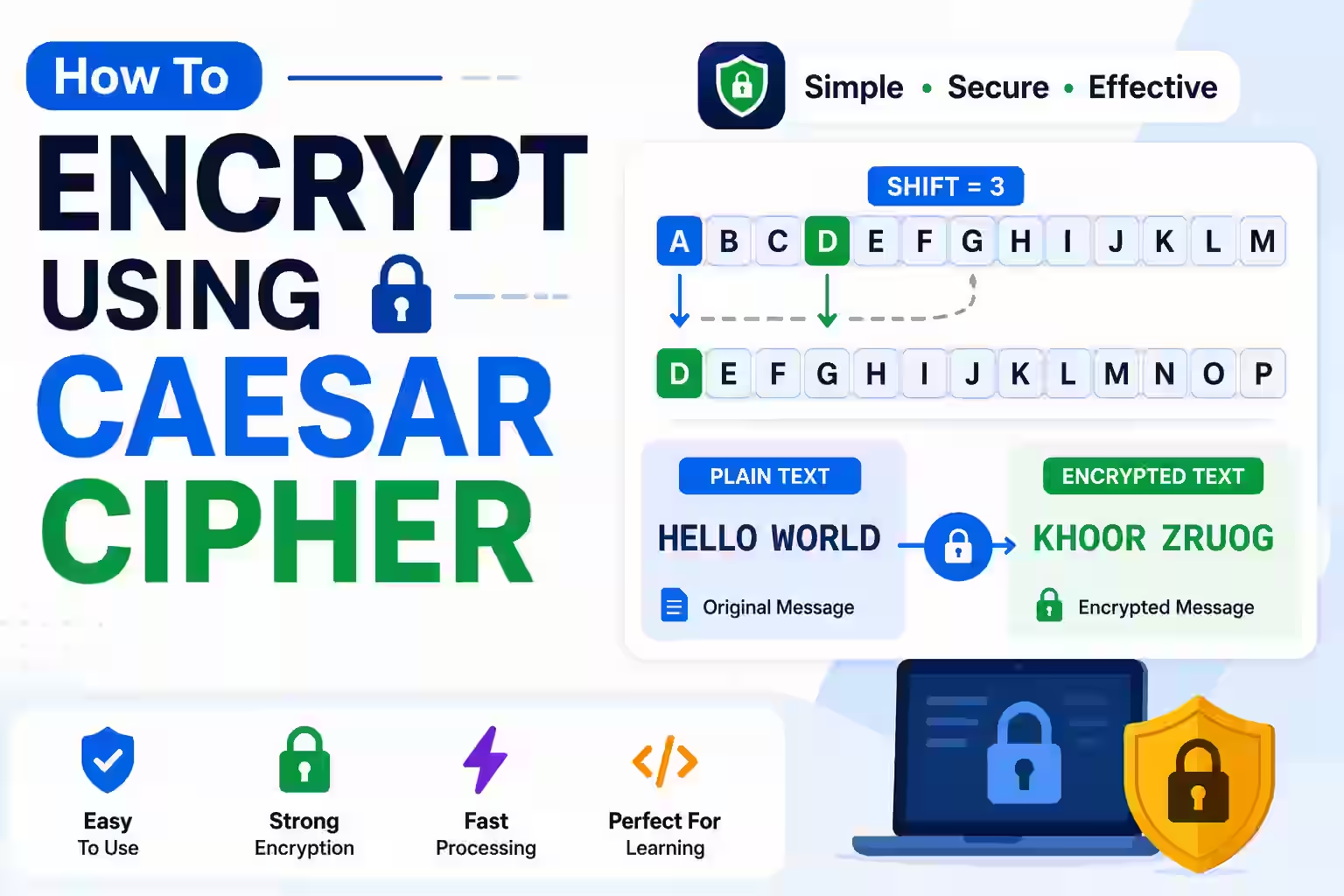
A Caesar cipher replaces each letter with another letter a fixed number of positions away in the alphabet. With a shift of three, A becomes D, B becomes E, and X wraps around to A. Decryption moves in the opposite direction.
This method is useful for learning substitution, modular arithmetic, and basic programming. It is not modern encryption. Magical Toolz does not currently have an active public Caesar cipher tool, so this guide explains the method without directing you to an unavailable feature.
Quick answer: Choose a shift from 0 to 25, move each letter forward for encryption, wrap after Z, and move backward by the same amount for decryption. Preserve spaces and punctuation if desired. Never use Caesar cipher for passwords, payment data, private messages, API keys, or any information that needs real protection.
Caesar cipher terms at a glance
| Choice | What it means |
| Plaintext | The readable message before encryption. |
| Ciphertext | The shifted result. It hides the text only from casual viewing. |
| Key or shift | A number from 0 to 25 that controls how far each English letter moves. |
| Wrap-around | Letters after Z continue at A; letters before A continue at Z. |
| ROT13 | A Caesar cipher with a shift of 13. Applying it twice restores the source. |
| Security level | Extremely weak because there are only 26 possible shifts, including no change. |
Encrypt a message by hand
- Write the English alphabet from A to Z.
- Choose a numeric shift, such as 3.
- Write a second alphabet shifted left by that amount.
- Find each plaintext letter in the first row.
- Replace it with the matching letter in the shifted row.
- Wrap from Z back to A when required.
- Keep spaces, numbers, and punctuation unchanged unless your agreed format says otherwise.
- Check the result by decrypting it with the same shift.
Worked example with a shift of three
Encrypt Meet at 7. with a shift of three. M becomes P, e becomes h, and t becomes w. The repeated e is replaced consistently. The space, number, and period can remain unchanged, producing Phhw dw 7..
To decrypt, subtract three positions. P returns to M, h returns to e, and letters near the start wrap backward. If the decrypted result does not exactly match the source, check the shift direction and alphabet handling.
Use modular arithmetic in code
Represent A through Z as 0 through 25. Encryption uses (letter + shift) mod 26. Decryption uses (letter - shift + 26) mod 26. Adding 26 before the remainder prevents a negative result in languages where negative remainder behaves differently.
Handle uppercase and lowercase with separate character-code bases. Decide explicitly what to do with accented letters and non-Latin scripts. A basic English Caesar implementation should leave unsupported characters unchanged rather than corrupting them.
Why Caesar cipher is not secure
An attacker can try every possible shift in seconds. Natural-language letter frequencies also reveal likely substitutions in longer messages. A secret-looking output is not proof of cryptographic protection.
Use a maintained cryptographic library and an appropriate modern authenticated-encryption design for real data. Do not invent a cipher, hide a key in front-end JavaScript, or confuse encoding such as Base64 with encryption.
Shift zero, large shifts, and negative shifts
A shift of zero returns the original text and provides no transformation. A shift of 29 is equivalent to 3 because 29 modulo 26 equals 3. Normalising the input shift makes code easier to test.
Negative shifts can be supported by normalising them into the 0-to-25 range. For example, minus 3 is equivalent to a forward shift of 23. State the convention so two implementations produce the same answer.
Testing an implementation
Test A, Z, a, z, mixed case, empty input, punctuation, digits, repeated letters, shift 0, shift 13, shift 25, and shifts above 25. Then verify that decrypting every encrypted test returns the exact source.
Do not claim success from one familiar phrase. Automated round-trip tests catch wrap-around and case errors, while fixed known examples catch code that makes the same mistake during encryption and decryption.
Check the result instead of trusting the first screen
A completed command or clean preview confirms only that the software performed an action. It does not prove that the result is correct for your document, audience, printer, device, or security requirement. Reopen the saved work, repeat the important action, and compare it with the source.
Test a small, representative example before applying the same method to many files or slides. Include unusual characters, a long value, a different layout, or the most complex item in your test. This exposes assumptions that an ideal sample can hide.
Keep the original until the final result has been reviewed and used successfully. Give edited files clear names rather than overwriting the only copy. If the work contains personal, business, or customer information, store temporary copies only where authorised people can access them.
Accessibility and dependable sharing
Visual output should not be the only way to communicate important information. Add meaningful alternative text where the application supports it, retain a readable text equivalent, and avoid relying on colour alone. Strong contrast and sensible sizing help people using projectors, printed sheets, zoom, and assistive technology.
Recipients may use another operating system, application version, browser, screen size, or printer. Share in a format that matches the job, then test that exact format. An editable source, exported image, printed page, and PDF can behave differently even when they started from the same content.
Do not install unknown extensions, add-ins, or viewers merely because a tutorial names them. Check the publisher, permissions, update history, privacy terms, and removal path. Work devices may require administrator approval, and managed settings can override personal preferences.
Record settings so the result can be repeated
Write down the application version, operating system, input type, selected options, and final output format. Screenshots can help with unusual menus, but a short text record is easier to search and update. If a colleague cannot reproduce the result from those notes, an important assumption is probably missing.
Separate facts from preferences. A required syntax rule, supported file type, documented limit, or security warning is a fact. Colour, layout, shortcut, and naming choices may be preferences. Keeping that distinction clear prevents a convenient personal setup from being presented as the only correct method.
Software interfaces and online services change. Prefer the official support page for current menus and capabilities, and note when a step depends on a third-party package or provider. If a command is missing, verify the installed version before following an older workaround.
For recurring work, keep a small non-sensitive sample with the expected result. Run it after a software update or settings change. This simple regression check can reveal changed defaults, missing packages, altered timing, blocked network content, or output differences before they affect important work.
Common problems and practical fixes
Z becomes an unexpected symbol
Wrap the alphabet index with modulo 26 instead of increasing the character code without bounds.
Decryption moves letters forward
Subtract the key for decryption, then normalise the result before converting it back to a letter.
Uppercase turns into lowercase
Track the original character range and use the matching uppercase or lowercase base.
Spaces disappear
Transform letters only and append every unsupported character unchanged.
The message looks protected
It is only obfuscated. Move sensitive data to a real, reviewed encryption workflow.
Final checklist
- The shift is stated and normalised.
- Encryption and decryption use opposite directions.
- A and Z wrap correctly.
- Case is preserved as intended.
- Spaces, numbers, and punctuation are handled consistently.
- Unsupported scripts are not corrupted.
- Round-trip tests restore the exact source.
- No sensitive information relies on this cipher.
Frequently asked questions
How many Caesar cipher keys exist?
There are 26 shifts for the English alphabet, but shift zero changes nothing, so only 25 produce different substitutions.
Is ROT13 encryption?
ROT13 is a shift of 13 and is best treated as reversible obfuscation, not secure encryption.
Can Caesar cipher handle numbers?
You can define a separate rule, but the classic version shifts alphabetic letters and usually leaves numbers unchanged.
Why add 26 during decryption?
It keeps the value non-negative before modulo in languages with negative remainder behaviour.
Can I use it for passwords?
No. Use a reputable password manager and established password hashing or encryption systems.
Does Base64 make Caesar cipher safer?
No. Base64 is reversible encoding and does not add meaningful security.
Is the Magical Toolz cipher tool active?
No. This article is a standalone educational guide while that tool remains inactive.
Treat Caesar cipher as a lesson, not a lock
The cipher clearly demonstrates substitution, keys, wrap-around, and reversible transformations. That makes it valuable in classrooms and beginner coding exercises.
Its tiny key space also demonstrates why modern security requires reviewed algorithms, safe key management, authentication, and trusted libraries.



 Magical Toolz AI Support
Comments (0)
Use comments for article-specific feedback. Use the contact page for bugs and support requests.
Leave a Comment
No comments yet. Be the first to share something useful.