


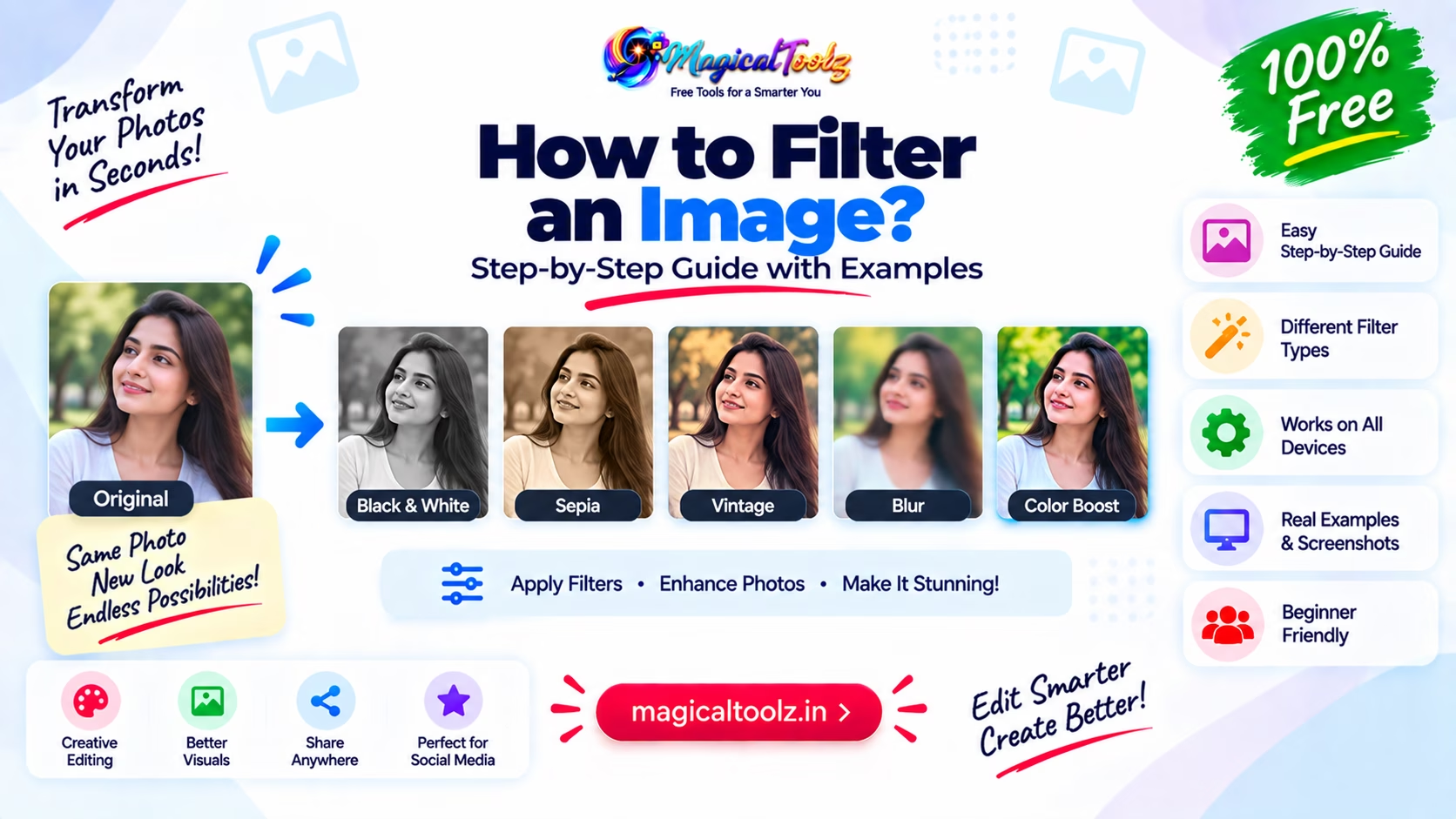
Keep the original image untouched. Apply filters to a copy or use a reversible preview until you know the result works. A heavy filter can hide detail, shift skin tones and make text inside an image harder to read.
Start with the problem you can see. If the photo is dark, adjust exposure or brightness. If light and dark areas look flat, adjust contrast. Do not move every slider just because it is available.
What common filters change
| Control | What it changes | Common risk |
| Brightness | Makes the whole rendered image lighter or darker. | Bright areas can lose detail. |
| Contrast | Increases or reduces the difference between tones. | Shadows and highlights can become harsh. |
| Saturation | Changes color intensity. | Skin, food and products can look false. |
| Grayscale | Removes visible color. | Color-coded meaning can disappear. |
| Hue rotation | Moves colors around the hue circle. | Brand and product colors become inaccurate. |
| Blur | Softens detail. | It is not safe redaction for private data. |
| Sepia | Adds a warm brown tone. | The result can look muddy. |
MDN lists these functions in its CSS filter-function reference. The values and defaults differ by function, so read the control label instead of assuming that 0 always means no change.
Make one correction at a time
- Duplicate the source file.
- View it at the size where people will use it.
- Name the main problem, such as dark shadows or weak contrast.
- Move one related control a small amount.
- Switch the effect off and on to compare it with the source.
- Check faces, text, edges and important product colors.
- Add a second adjustment only if the first one exposed another problem.
- Export a new file and keep the source separately.
This process is slower than selecting a dramatic preset, but it makes the result easier to explain and repeat.
CSS filters do not edit the source file
A website can change how an image looks with CSS:
img.product-photo { filter: brightness(1.05) contrast(1.08) saturate(.95); }
The browser applies the functions in the order written. The JPG or PNG on the server remains unchanged. Removing the CSS restores the original rendering.
The MDN filter property reference covers blur, brightness, contrast, grayscale, hue rotation, invert, opacity, saturation, sepia and drop shadow. CSS filters are useful for interface states and controlled web presentation. They are not a replacement for a properly prepared source image in every context.
Order can change the output
contrast() followed by brightness() may not look identical to the reverse order. Keep the list short, and test the exact declaration you plan to ship.
Export pixels when the edited look must travel
Email attachments, marketplace uploads, documents and social apps will not receive your website's CSS. Export a new image when the adjusted appearance must be stored in the file itself.
Choose the output format based on the content. JPEG is practical for photographs but uses lossy compression. PNG keeps sharp graphics and transparency but can be larger. WebP can suit web delivery when the destination accepts it.
Export once from the original or a lossless working copy. Repeatedly opening and saving a JPEG can add more compression damage.
Use presets as a starting point
A preset is a saved group of adjustments. It can give a set of photos a similar look, but it cannot read the lighting, skin tone or subject of each file. Apply the preset, then correct each image that needs different exposure, color or contrast.
Keep a note of the final values when several product photos must match. Compare them side by side on the same background. One bright image among darker catalog photos can look inconsistent even when every file seems acceptable on its own.
Do not use a style preset to repair a technical problem such as motion blur, missed focus or a heavily clipped highlight. Filters can change appearance, but they cannot rebuild detail that is absent from the source.
Blur is not reliable privacy protection
A blur makes information harder to read, but it may leave shapes, lengths and partial details visible. Weak blur can sometimes be reversed or interpreted. Cropping may also leave the sensitive source in editing history, layers or another copy.
Use a proper redaction process when the image contains an address, account number, face, ID card or private message. Flatten and inspect the final copy, remove hidden data where required, and keep the original access controlled. Do not call a cosmetic blur secure redaction.
Watch color accuracy
Product photos need extra care. A saturation or hue change can make clothing, paint, makeup or food differ from the item being sold. Compare the edited image on more than one screen, and use a color-managed workflow for print or client work where exact color matters.
Filters can also change accessibility. A grayscale effect may remove the only difference between two chart categories. A dark overlay may lower the contrast of text already inside the image. Add text labels and patterns when color carries meaning.
Check the result before download
- The image still has the correct aspect ratio.
- Faces and skin tones look believable.
- Text and barcodes remain readable.
- White areas are not clipped into blank patches.
- Dark areas still contain useful detail.
- Product and brand colors have not shifted without approval.
- The output dimensions suit the destination.
- The file opens in a second app.
- The original remains available.
Image filter questions
What settings make every photo better?
There is no fixed set. Adjust the visible problem in that image and compare the result with the source.
Does brightness recover lost shadow detail?
It can reveal detail that exists in the file, but it cannot recreate data that the camera did not capture.
Can I combine several CSS filters?
Yes. They are applied in order. Long filter chains become hard to predict, so keep them focused.
Will a CSS filter reduce image file size?
No. It changes rendering. Resize or encode a new file when file size is the problem.
Should I use blur to hide a face?
Use a proper privacy workflow. Blur alone may leave identifying detail and should not be treated as permanent redaction.
Why does the downloaded image look different from the preview?
The export may use a different color profile, encoder, dimensions or filter pipeline. Check the downloaded file in the destination app.
 Magical Toolz AI Support
Comments (0)
Use comments for article-specific feedback. Use the contact page for bugs and support requests.
Leave a Comment
No comments yet. Be the first to share something useful.