

Username Generator
How Username Generator Works — Example
How was your experience?
Rate Username Generator — one tap is enough.
About Username Generator
What does Username Generator do?
Generate cool, unique, and random usernames for games, social media, or profiles. Our free Username Generator combines adjectives and nouns to create
How This Username Generator Creates Fresh Ideas
Ever watched a sign-up cursor blink while every good handle seemed to vanish? A fresh name can be hard to invent. This username generator gives you a practical starting point for gaming, social media, streaming, forums, and other profiles.
The current username generator creates several ideas at once. By default, it shows 24 results, but you can request any whole number from 1 to 100. The username generator makes each result locally in your browser. As a result, you can review a useful batch instead of clicking once for every new idea.
This username generator offers four styles. Adjective + noun joins words such as cosmic and falcon. Compact blend trims and combines parts of two words. Gamer tag pairs a noun or your keyword with a gaming term. Minimal word starts with one short word.
You can also choose lowercase, TitleCase, or UPPERCASE. A separate menu adds no separator, an underscore, a hyphen, or a dot. Random digits are on by default. However, you can turn them off when you want a letters-only result.
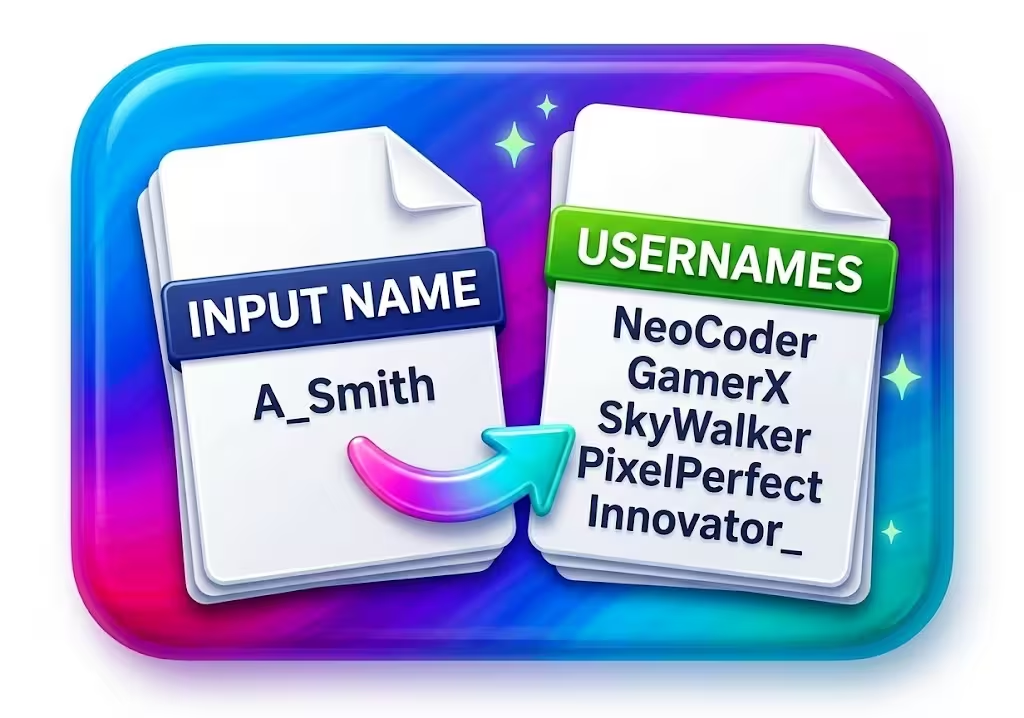
ExampleSuppose you need a gaming profile. Set the style to Gamer tag, choose TitleCase, and request 12 ideas. If you like one result, use its Copy button. You can then paste it into the platform's sign-up form.
Using the Controls Step by Step
In the username generator, start with the Count field. Enter how many ideas you want from 1 through 100. Next, set a maximum length from 6 through 32 characters. The username generator trims results that would exceed that limit and removes a separator left at the end.
Then choose a style that fits your goal. Adjective + noun gives a clear two-part name. Compact blend produces a tighter mix. Gamer tag leans toward terms such as core, zone, strike, quest, byte, and forge. Minimal word keeps the base short.
An optional keyword lets you guide the output. It may contain letters and numbers, with a maximum of 16 characters. For example, you could enter a hobby, nickname, or brand fragment. The username generator then uses that keyword in place of its first selected word.
After that, choose a separator and letter case. You may also keep random digits or allow one safe symbol. The safe-symbol option adds an underscore or hyphen when no separator is selected. Finally, select Generate securely to make the requested batch.
If your settings are too tight to produce enough distinct results, the tool tells you how many it found. It then asks you to increase the maximum length or change an option. This feedback is clearer than filling the list with duplicates.
Why Platform Availability Is Still Up to You
Does this username generator check Instagram, Discord, Steam, X, or another service? No. It does not contact social networks, games, registries, or websites. Therefore, a result is an idea rather than proof that the handle is open.
Popular services have many users, so a good pairing may already belong to someone else. Paste your preferred result into the sign-up form for the service you plan to join. That service is the right place to confirm its current status.
If the name is taken, return to the username generator and make another batch. You can also change the style, case, keyword, separator, digits, or length. Each adjustment gives the local generator a different set of choices.
Skipping live availability checks keeps the username generator's boundary honest. The tool does not need an account on another service. It also does not rely on a scraper that may show stale information. Meanwhile, you retain control over where and when you test a name.
Watch for thisA generated name may already be registered. Always test it on the exact app or site where you want to use it. Do not treat a result as a reservation or an availability promise.
How Browser-Based Randomness Works
The username generator runs inside your browser and uses Web Crypto for random choices. Results are not saved by the tool, so a reset or page change can remove the current batch.
The username generator's built-in lists contain 18 adjectives and 18 nouns. The minimal style has 16 short words. Gamer tag mode also draws from six gaming terms. Still, the final range is not one fixed adjective-times-noun total because your settings can add a keyword, digits, symbols, separators, case changes, blends, and length trimming.
For each request, the tool avoids duplicate strings within that batch. It keeps trying until it reaches your chosen count or hits its attempt limit. If restrictive settings prevent enough distinct names, it reports the shortfall instead of hiding it.
Random digits use a value from zero through 9999. The tool applies a minimum width of either two or four characters, so a shorter number may receive leading zeroes while a longer one is not shortened. A selected separator may appear before the digits. The finished username can still be trimmed by the maximum-length control.
Because the username generator uses local browser features, Web Crypto must be available. If it is not, the tool displays an error. Clipboard access can also be blocked by browser permissions. In that case, the name remains visible for manual selection.
Good to knowThe maximum-length control applies to the finished string. A long keyword, separator, and digits may leave less room for the remaining word. Raise the limit or simplify the options if results look too short.
Choosing a Memorable Two-Part Handle
Two clear words can be easier to recall than a loose run of letters. A descriptive first word creates a tone, while the second gives the name a subject. For example, a pairing built from vivid and raven creates an immediate image.
The username generator's adjective + noun mode is useful when you want that clear structure. However, the best result is not always the most dramatic one. Say a candidate aloud and imagine it in a small profile label. A name that is easy to read and pronounce is often easier to share.
Use the username generator to collect several candidates before choosing. A batch helps you compare rhythm, spelling, and tone side by side. You can copy one item, or use Copy all to place every result on the clipboard as separate lines.
Do not overlook letter case. Lowercase can feel quiet and simple. TitleCase makes two parts easier to scan when there is no separator. UPPERCASE creates a louder look, although some platforms may display names differently after registration.
Finally, check how the handle sounds in conversation. Friends or teammates may need to say it in voice chat. Avoid a result that you would have to spell out every time unless that unusual spelling is part of your goal.
Picking Styles for Games, Social Media, and Forums
Different online spaces call for different tones. A competitive game may suit a bold tag, while a technical forum may benefit from a quieter name. The username generator gives you style controls, but you still decide which result fits the community.
For gaming, try Gamer tag mode or an active adjective + noun pairing. Random digits may help if the plain version is taken. On a social profile, Compact blend can create a shorter label. A keyword can also connect the result to your topic or public identity.
For a hobby or technical forum, choose a readable name that will look clean beside many posts. Minimal word mode can be a useful base. However, it may need digits or a keyword because short names are often popular.
- Gaming profiles: compare names that are easy to say during a match.
- Social channels: choose a result that fits the tone of your posts.
- Tech and hobby forums: favor clear spelling and a calm visual style.
- Testing or secondary profiles: use distinct names to reduce accidental mix-ups.
Before committing, view the name in the platform's real sign-up screen. Rules for length, punctuation, and case vary by service. As a result, a valid output here may still need a small edit there.
Using Different Handles for Better Privacy
Sharing your full name, birth year, or hometown in a public handle can expose personal clues. Those clues may help strangers connect profiles or guess answers to account questions. A random name can reduce that direct link, although it does not make an account anonymous by itself.
Using a different handle for each community can also limit easy cross-referencing. If the same unusual username appears everywhere, a simple search may connect those accounts. Therefore, username generator results can help keep hobbies, games, and public discussions apart.
The username generator supports this habit by making batches locally. It also does not require an account or registration form.
For broader context, the NIST Digital Identity Guidelines discuss privacy-protective digital identity and explain that people can have multiple digital identities. They also recognize anonymous or pseudonymous accounts when real-life identity is not required.
A pseudonym is only one part of account safety. Use the username generator for naming ideas, not as a replacement for a strong password or authentication controls. Also review every service's privacy settings before you post personal details.
Smart Tweaks When a Handle Is Taken
Finding a name you like does not mean you must abandon it just because someone else grabbed it first. First, try the built-in separator menu. An underscore, hyphen, or dot can make the parts distinct while keeping them easy to recognize.
Next, test the random-digits option. It adds a numeric ending, and a selected separator may divide the number from the base. You can generate several results and choose a number that looks balanced. However, avoid using a birth year or other personal number if privacy matters.
The optional keyword offers another route. Add a short topic, nickname, or neutral term with letters and numbers only. Because the field allows up to 16 characters, keep the maximum output length in mind.
You can also switch style without losing your general direction. Move from adjective + noun to Compact blend for a shorter form. Try Gamer tag for a more active ending, or Minimal word for a simpler base. The username generator rebuilds the whole candidate from the active settings.
If one result is close, copy it and edit it in the platform's form. For example, you might remove digits or change a separator. The generator does not lock either word for a partial reroll, so manual editing is the direct way to preserve one exact part.
A Worked Example From Setup to Sign-Up
Imagine that you need a new handle for a coding community. You want it to be readable, under 18 characters, and related to pixels. Enter 12 for Count, 18 for Maximum length, and pixel as the optional keyword.
Choose Adjective + noun if you want the keyword followed by a built-in noun. Then select a dot, lowercase, and no random digits. Leave the extra safe-symbol option off because you already selected a separator.
Now ask the username generator for a batch. Review the 12 distinct results and copy a promising one. If the community rejects the dot, return to the controls and choose an underscore or no separator. Generate again rather than assuming punctuation rules are the same everywhere.
Once you have a short list, use Copy all to move the names into a note. This step is useful when you want to compare several options. If you prefer a file, download the batch as TXT for plain lines or JSON for structured data.
The JSON download records that availability was not checked and stores the generated usernames. Therefore, the file does not imply that any result is free to register. Check your final choice directly with the coding community before building a public identity around it.
Copying, Downloading, and Resetting Results
Each result has its own Copy button. Use it when you need one name. The username generator also provides Copy all after a batch exists. That option places every current username on separate lines in your clipboard.
For a reusable username generator list, choose Download TXT. The text file contains one result per line. Download JSON creates a structured file with an availability flag and a usernames list. These formats can help with notes, testing data, or later review.
The Reset button restores the defaults. Count returns to 24, maximum length to 20, and style to adjective + noun. It also selects no separator, lowercase, random digits on, and safe symbols off. The keyword is cleared, and the current results disappear.
Instead, it clears the in-page results and disables the copy and download actions until another batch exists.
Use downloads with care if a result becomes tied to a real account. A local list can reveal which handles belong together. For better separation, keep only the names you need and store account records according to your own privacy needs.
Common Mistakes to Avoid Before Registration
One common mistake is treating a generated result as available. The username generator never makes that check. Another is choosing a name that meets this tool's length setting but breaks a platform's shorter limit or punctuation rule.
Do not pack a public handle with personal clues. A real surname, exact birth year, school, or hometown can make the account easier to connect to you. Instead, use a neutral keyword or let the tool select the base words.
Also avoid choosing only by appearance. Read the name aloud, check for accidental meanings, and view it in lowercase. Two harmless words can look different after they are joined. A quick review can catch awkward letter combinations.
Finally, do not confuse a username with a password. A public handle is often visible to anyone. Pair it with a strong, distinct password and the authentication options offered by the service. The username generator is a naming aid, not an account-security system.
More Random Generator Tools to Try
Magical Toolz also provides related tools for account setup and testing tasks.
| Need a strong password to pair with your new handle? | Random Password Generator creates randomized passwords with custom length and character choices. |
| Need realistic mock information for testing software or forms? | Fake Data Generator creates sample names, addresses, and phone numbers for development and testing. |
| Need random numbers for giveaways, games, or decisions? | Random Number Generator produces customizable random numbers within a range you specify. |
Frequently Asked Questions
Does this username generator check if a handle is available on Instagram, Discord, or Steam?
No, it doesn't check live availability on any platform. It combines words to spark creative handle ideas, but you'll need to paste your chosen name into the sign-up form of the specific site or app to see if it's open.
How many unique usernames can this tool generate?
It can generate exactly 13,200 unique adjective-noun combinations. That comes from multiplying its pool of 120 adjectives (like Blazing, Cosmic, and Stealthy) by its pool of 110 nouns (like Phoenix, Wolf, and Sentinel).
Can I lock the adjective and only generate a new noun?
No. Every time you click the Generate button, the tool rolls a completely fresh pair, replacing both the adjective and the noun at the same time.
Does this generator add numbers or special characters to the usernames?
No, it generates pure word combinations made of letters only. If you need numbers, underscores, or hyphens to meet a platform's sign-up rules, you can add those manually after copying the base handle.
Is this username generator completely free to use?
Yes, it has no daily limits, hidden fees, or account sign-ups required. It runs entirely inside your web browser.


Try other tools
Find more PDF, image, calculator and utility tools. Check each tool's access label for free or premium availability.
 Magical Toolz AI Support
Discussion
No comments yet. Be the first to comment!