


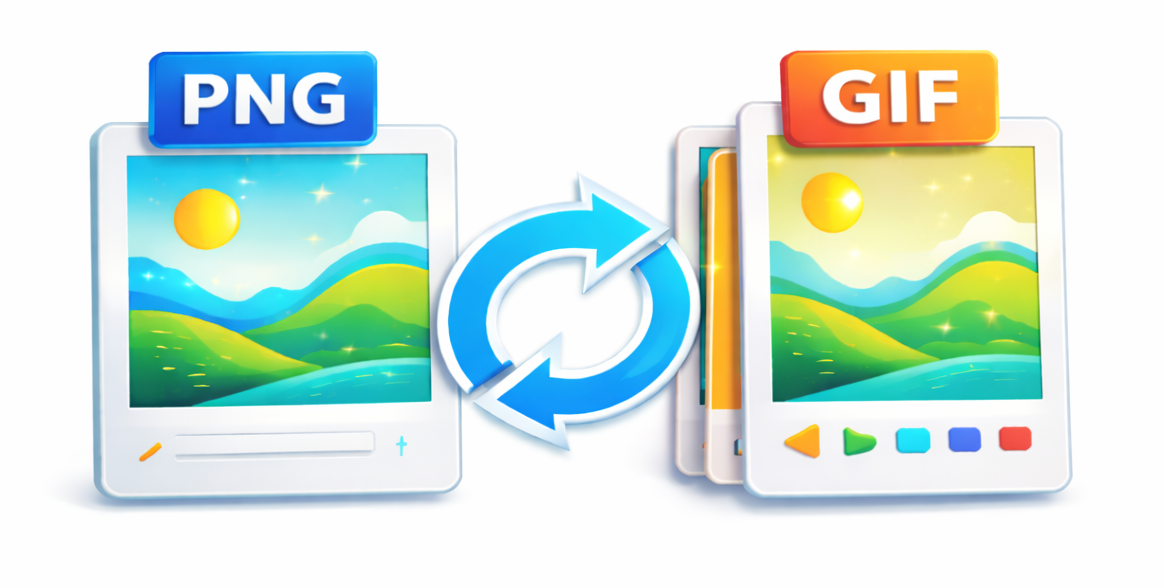
Need to convert a PNG image into a GIF for a website, social media post, or email campaign? Our free PNG to GIF converter makes it simple to transform your static PNG files into either animated or static GIFs in just a few clicks. Whether you are a content creator, small business owner, or casual user, understanding how to convert PNG to GIF online can save you time and improve your visual content. In this complete guide, we’ll walk you through everything you need to know about using a PNG to GIF converter effectively.
What Is a PNG to GIF Converter?
A PNG to GIF converter is a specialized online tool that takes your PNG (Portable Network Graphics) files and transforms them into the GIF (Graphics Interchange Format). While PNG supports millions of colors and lossless compression, GIF is limited to a 256-color palette but offers animation support. This makes a PNG to GIF online tool essential when you need smaller file sizes, simple animations, or universal browser compatibility. Unlike complex software, our converter requires no downloads or signups — just upload your images and choose your output.
Key Differences Between PNG and GIF Formats
Before you convert PNG to GIF, it helps to understand the core differences. PNG is ideal for high-quality images with transparency, such as logos or detailed graphics. GIF, on the other hand, uses lossy compression and a reduced color palette, which makes it perfect for simple animations, memes, and small web graphics. When you use an animated GIF maker from PNG files, you sacrifice some color depth for the ability to create looping motion sequences. For static conversions, the PNG will be compressed into a smaller file size, which is great for faster page loading.
Why Convert PNG to GIF Online?
Using a free PNG to GIF converter offers several practical benefits. First, GIFs are universally supported across all browsers and platforms without needing special plugins. Second, animated GIFs capture attention on social media feeds, email newsletters, and landing pages better than static images. Third, our online tool handles batch conversions, letting you upload multiple PNG files at once to create a seamless animation. Whether you need a static GIF for a button or an animated GIF for a product demo, converting PNG to GIF online is the fastest solution.
How to Use Our PNG to GIF Converter: Step-by-Step Guide
Follow these simple steps to convert your PNG images to animated or static GIF using our tool:
- Visit the tool page. Go to our PNG to GIF converter on MagicalToolz.in. No registration is required.
- Upload your PNG files. Click the upload button or drag and drop your images. For animated GIFs, upload multiple PNG files in the order you want them to appear.
- Choose your output type. Select either "Static GIF" for a single image or "Animated GIF" for a sequence. If you choose animation, set the frame delay (e.g., 0.5 seconds between frames).
- Adjust settings (optional). You can resize the output, change the loop count (infinite or specific number), or optimize the GIF for smaller file sizes.
- Convert and download. Click the "Convert" button. The tool processes your files instantly. Download your new GIF to your device.
Tips for Creating Stunning Animated GIFs from PNG
To get the best results when you convert PNG to GIF, keep these expert tips in mind. First, keep your PNG images at a consistent size — mismatched dimensions can cause jerky animations. Second, use images with fewer colors (like flat vector graphics) because GIF’s 256-color limit works best without complex gradients. Third, for smooth animations, use at least 8-10 frames per second. Finally, always preview your GIF before downloading to check timing and quality. Our animated GIF maker provides a real-time preview so you can tweak settings instantly.
Common Use Cases for PNG to GIF Conversion
People use our PNG to GIF converter for a wide range of projects. Social media managers convert PNG logos into animated GIFs for Instagram stories or Twitter headers. Web developers turn PNG icons into loading spinners or hover effects. Educators create step-by-step animated diagrams from PNG screenshots. Marketers design email banners that loop through multiple product shots. Even hobbyists use the tool to make memes or reaction GIFs from their digital artwork. The versatility of converting PNG to GIF online makes it a must-have for any digital toolkit.
Frequently Asked Questions About PNG to GIF Converter
Can I convert multiple PNG files to one animated GIF?
Yes, our PNG to GIF converter supports batch uploads. Simply select all the PNG files you want to include, and the tool will arrange them in the order you upload them. You can adjust the frame delay to control the animation speed.
Is the PNG to GIF converter free to use?
Absolutely. MagicalToolz.in offers this converter completely free with no hidden charges, no signup requirements, and no watermarks on your output files. You can use it unlimited times.
Will my GIF lose quality when I convert from PNG?
GIF format is limited to 256 colors, so some quality loss is normal, especially with photographs. However, for graphics with solid colors or simple gradients, the visual difference is minimal. Our tool uses optimized compression to preserve as much detail as possible.
How long does it take to convert PNG to GIF online?
Most conversions happen in under 10 seconds. Larger files or animations with many frames may take slightly longer, but our tool processes everything on your device (client-side) for fast results.
Can I make a transparent GIF from a PNG with transparency?
Yes, PNG supports full alpha transparency, and our converter preserves transparency when creating static GIFs. However, animated GIFs have limited transparency support — only one color can be set as transparent per frame.
Start Converting Your PNG Images Today
Whether you need a static image for a website button or an animated sequence for a social media campaign, our PNG to GIF converter delivers professional results in seconds. No technical skills required, no software to install, and no cost to worry about. Simply upload your PNG files, choose your settings, and download your finished GIF. Try our free PNG to GIF converter now and see how easy it is to transform your images into engaging animated or static GIFs — no signup required.
Comments (0)
Use comments for article-specific feedback. Use the contact page for bugs and support requests.
Leave a Comment
No comments yet. Be the first to share something useful.